Where everything marketing teams create gets approved.
Gain is content approval software that takes marketing work from draft to published in one place. Create or import anything, collaborate on it, route it through your approval workflows, and it's ready to publish.
Create and import any content
Compose social posts with true-to-platform previews, write documents right in Gain, or drop in the files your team already makes. If it exists, it can be sent for approval.
Create and import any content
Compose social posts with true-to-platform previews, write documents right in Gain, or drop in the files your team already makes. If it exists, it can be sent for approval.
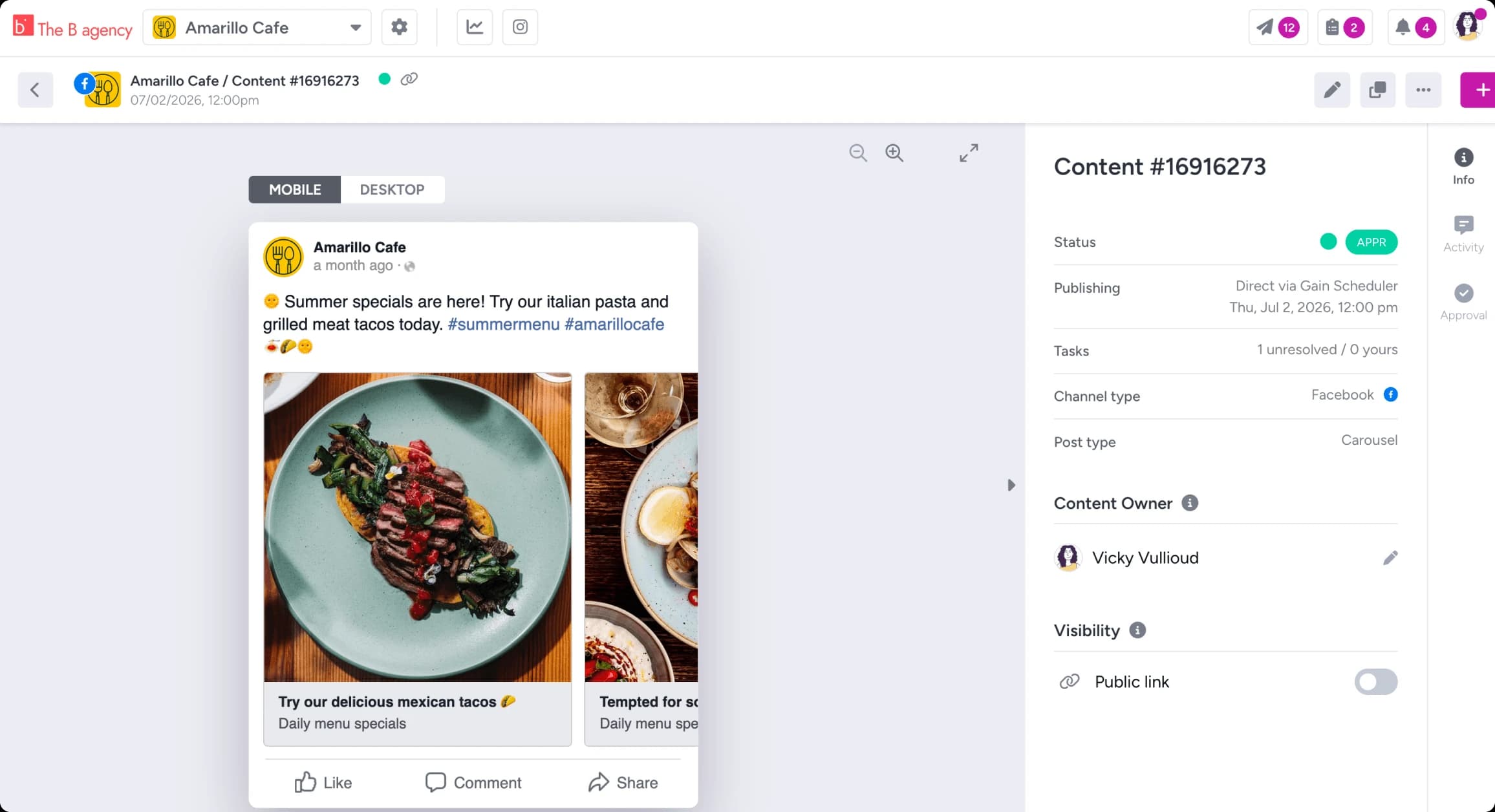
Social posts
Create photo posts, video posts, carousels, Reels, and Stories with previews that match the real feed on desktop and mobile. Clients approve what they'll see.
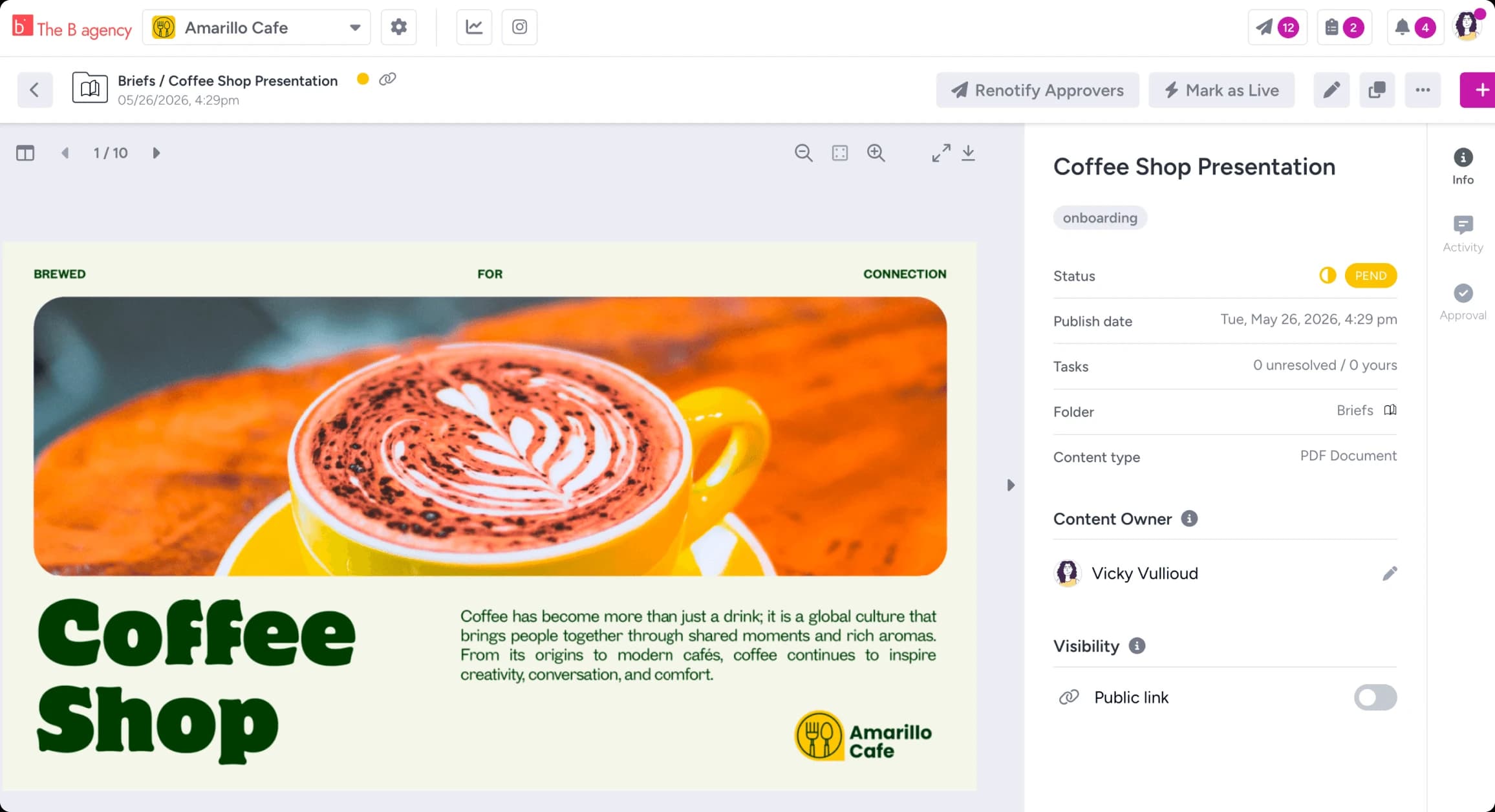
Files
Photoshop, Illustrator, PDF, Word, Excel, PowerPoint, Keynote, and every common image and video format. Gain shows previews of all of it.
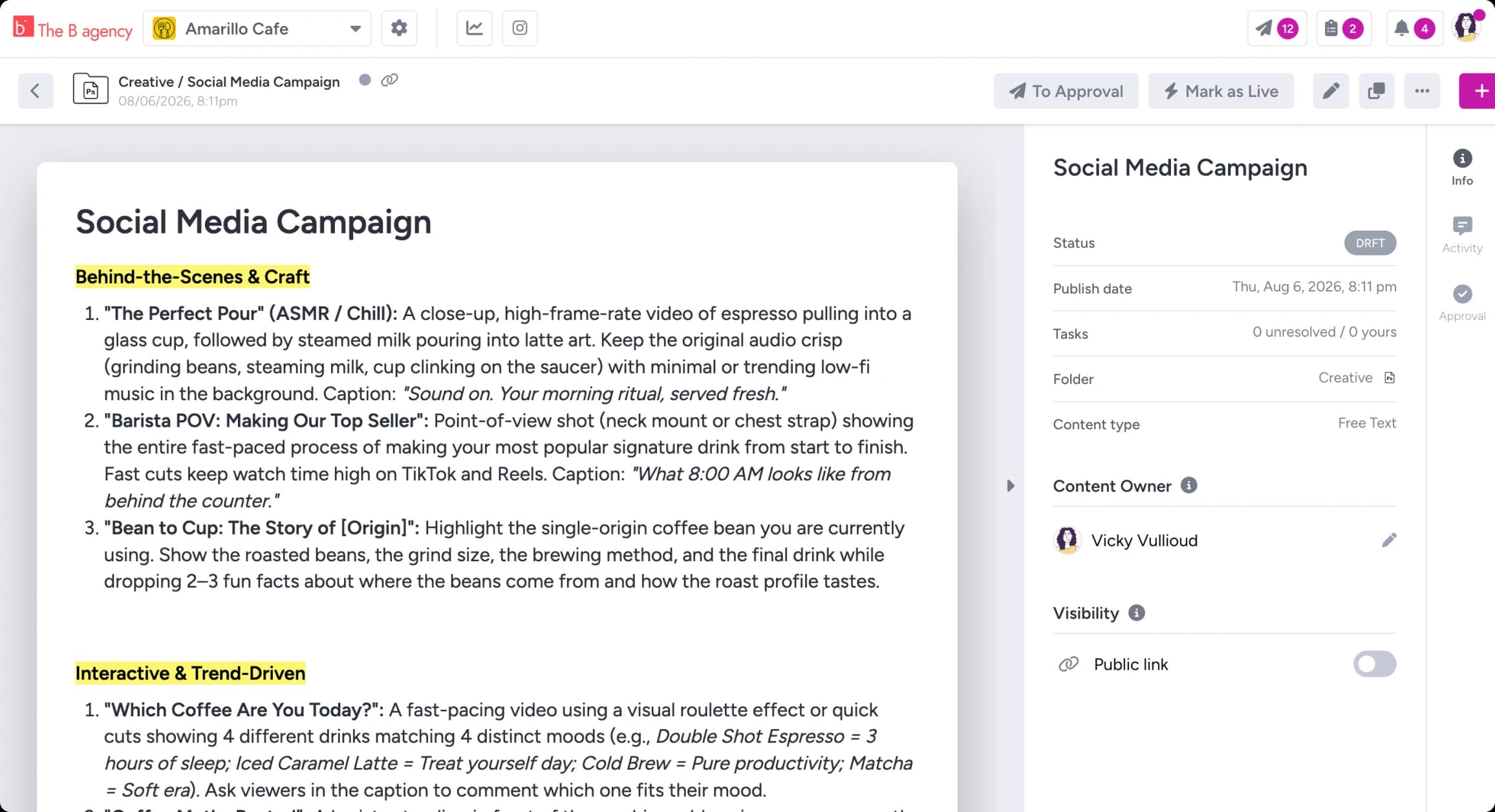
Documents
Briefs, blog drafts, and press releases, drafted where they’ll be approved instead of living in a thread as "FINAL_v3 (2).docx."
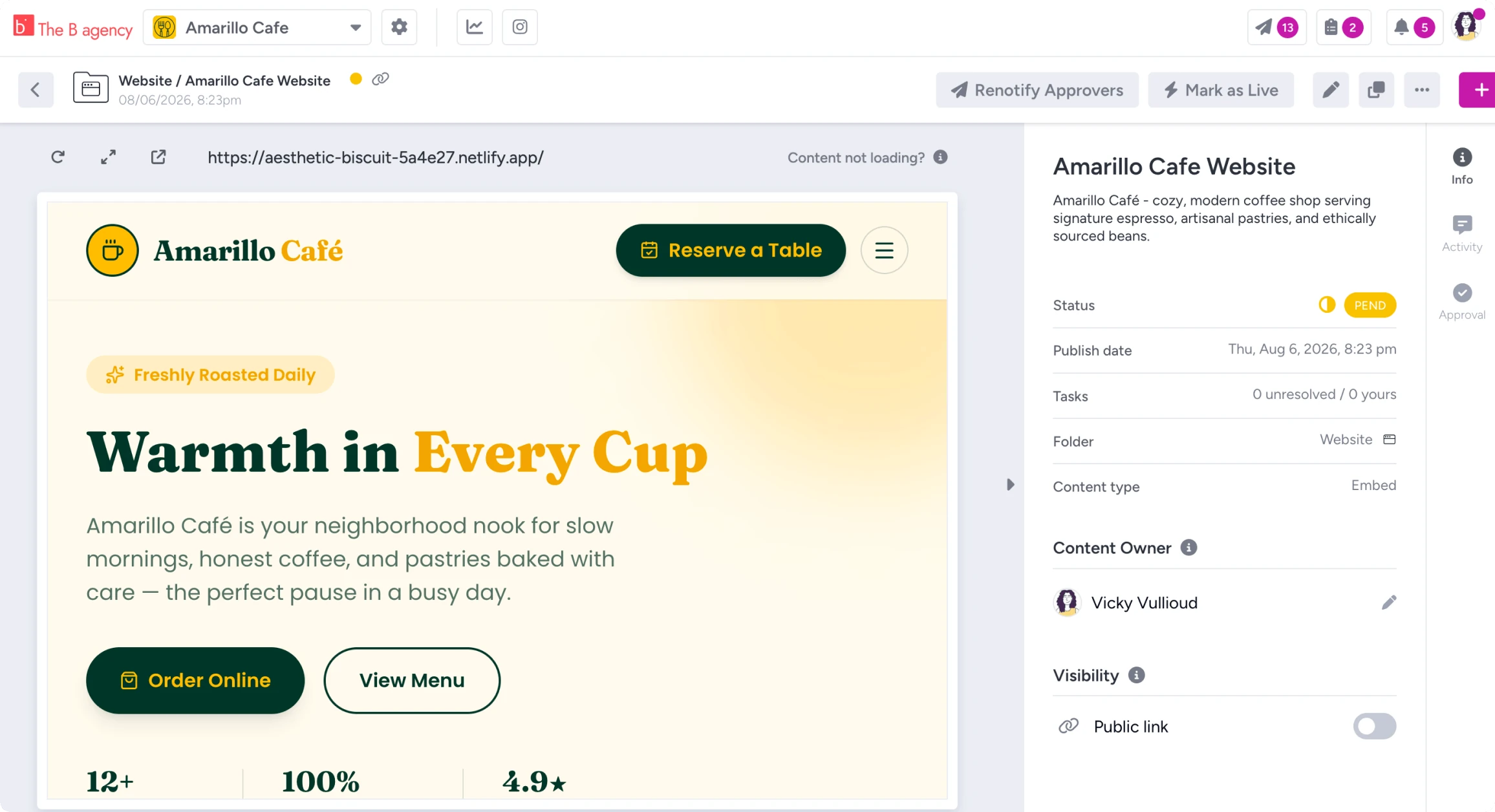
Embed URLs BETA
Paste any public URL and the real page appears for review. Landing pages, email newsletters, and microsites join the same queue as everything else.
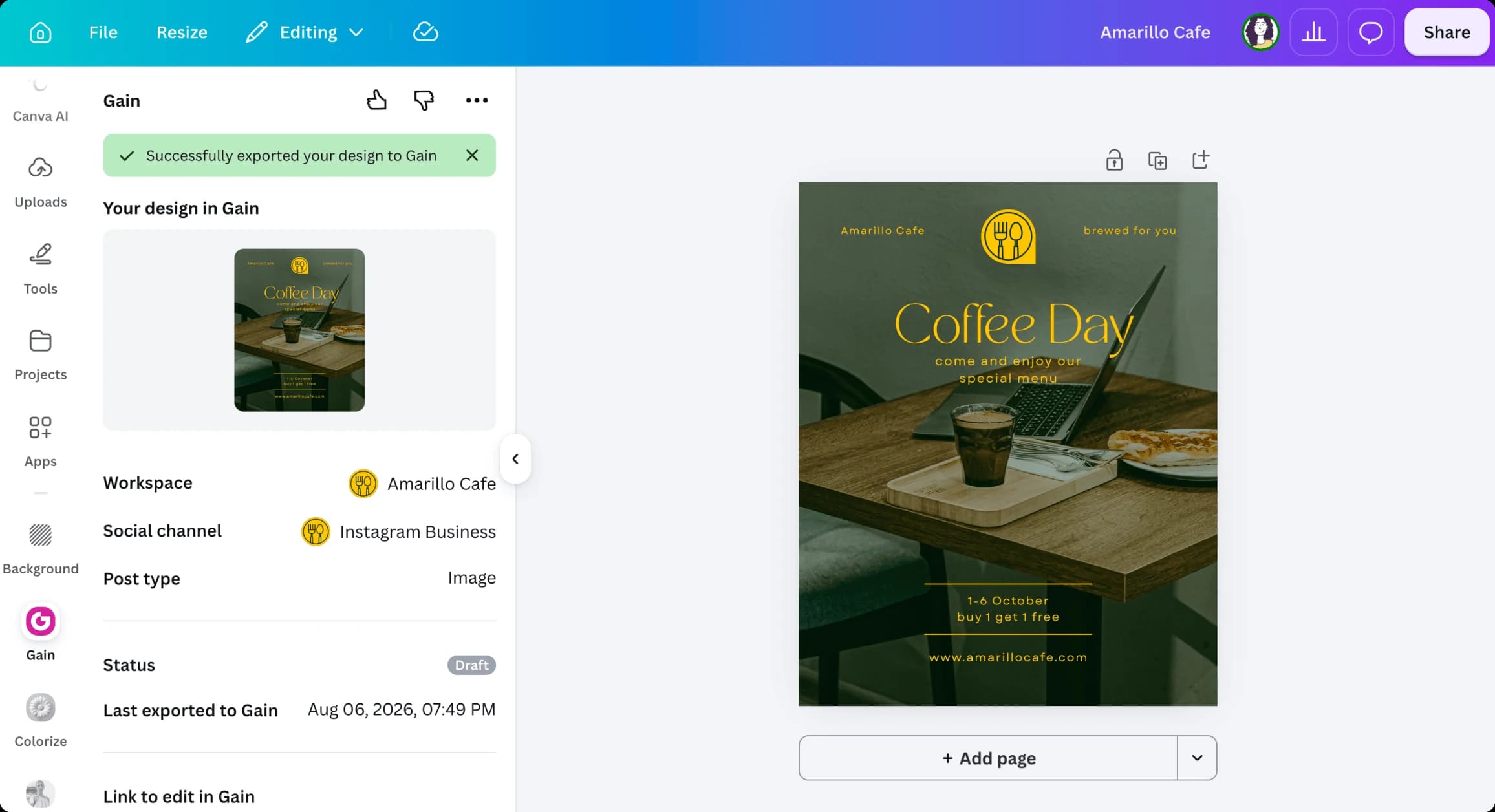
Import content from your tools
Pull designs straight from Canva, Dropbox, Box, and OneDrive. Bulk-upload a whole month of content in one drag.
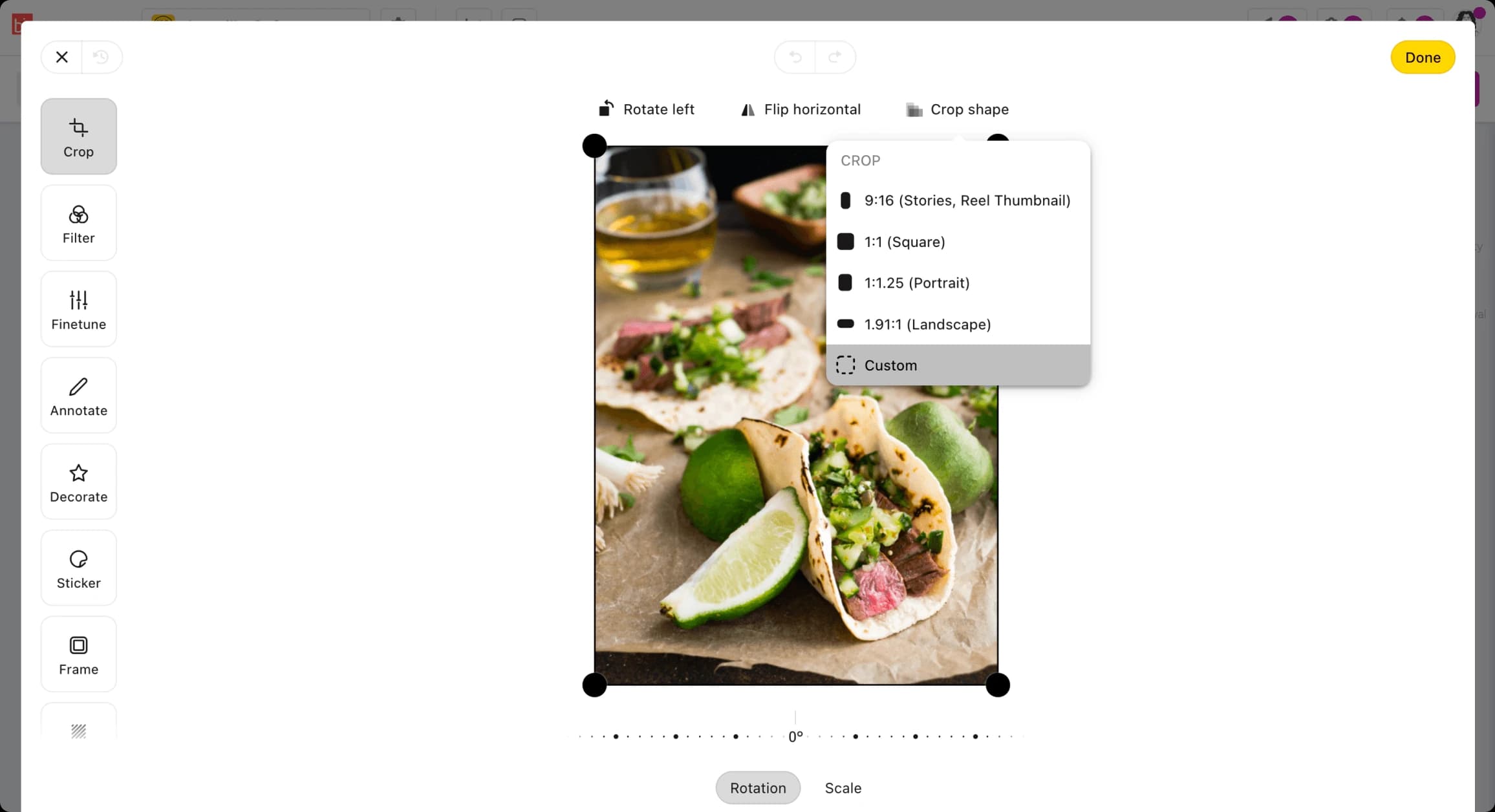
Fix-it tools built in
An image editor with per-network crop presets and Facebook ad mockups, so approval keeps moving when a small fix comes up. An AI writing assistant is available on every plan.


Collaborate on content
Everything about a piece of content happens on the content: mentions, tasks, and status. Every client or brand lives in its own workspace, so work stays separate.
Collaborate on content
Everything about a piece of content happens on the content: mentions, tasks, and status. Every client or brand lives in its own workspace, so work stays separate.
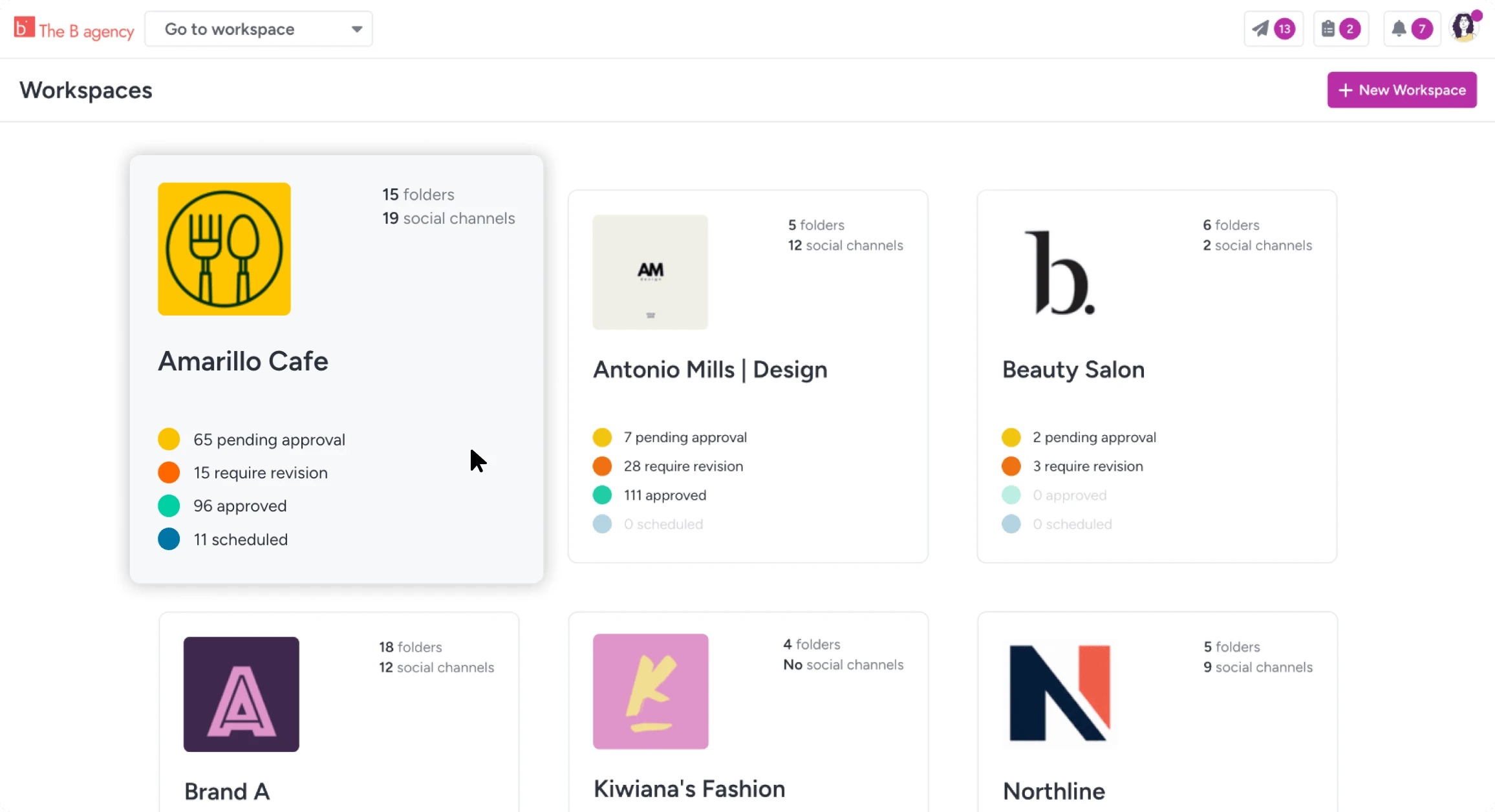
Dedicated workspaces for each client or brand
Its own calendar, channels, folders, and approval flows. Team members only see the workspaces you give them, so client A stays separate from client B.
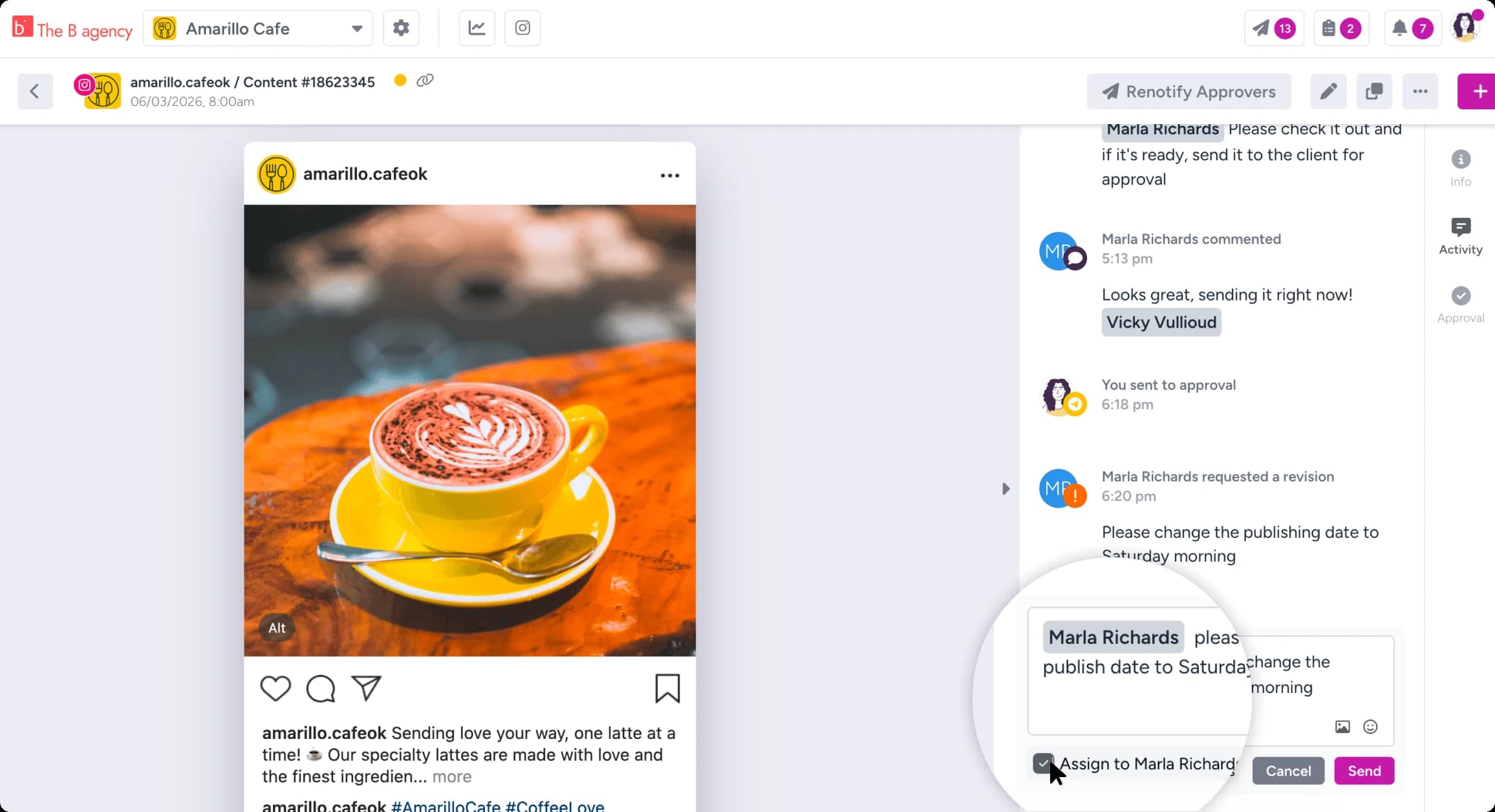
Mentions & tasks
@mention teammates on the content itself, assign tasks and content owners, and keep every decision documented where the work lives.
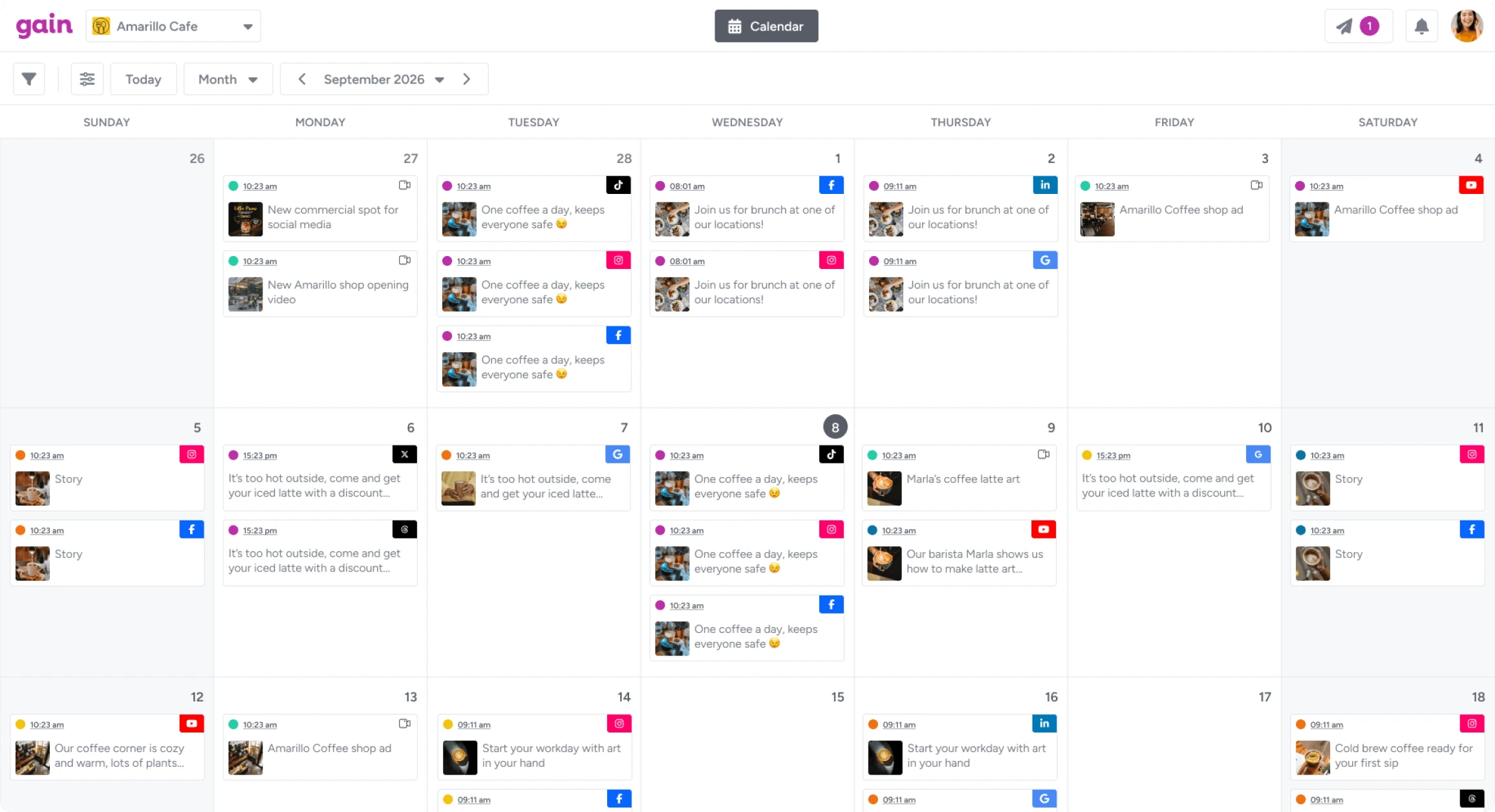
Calendars that show content status
Shareable calendars that show the current status of content. Clients can check status on a shared link anytime.
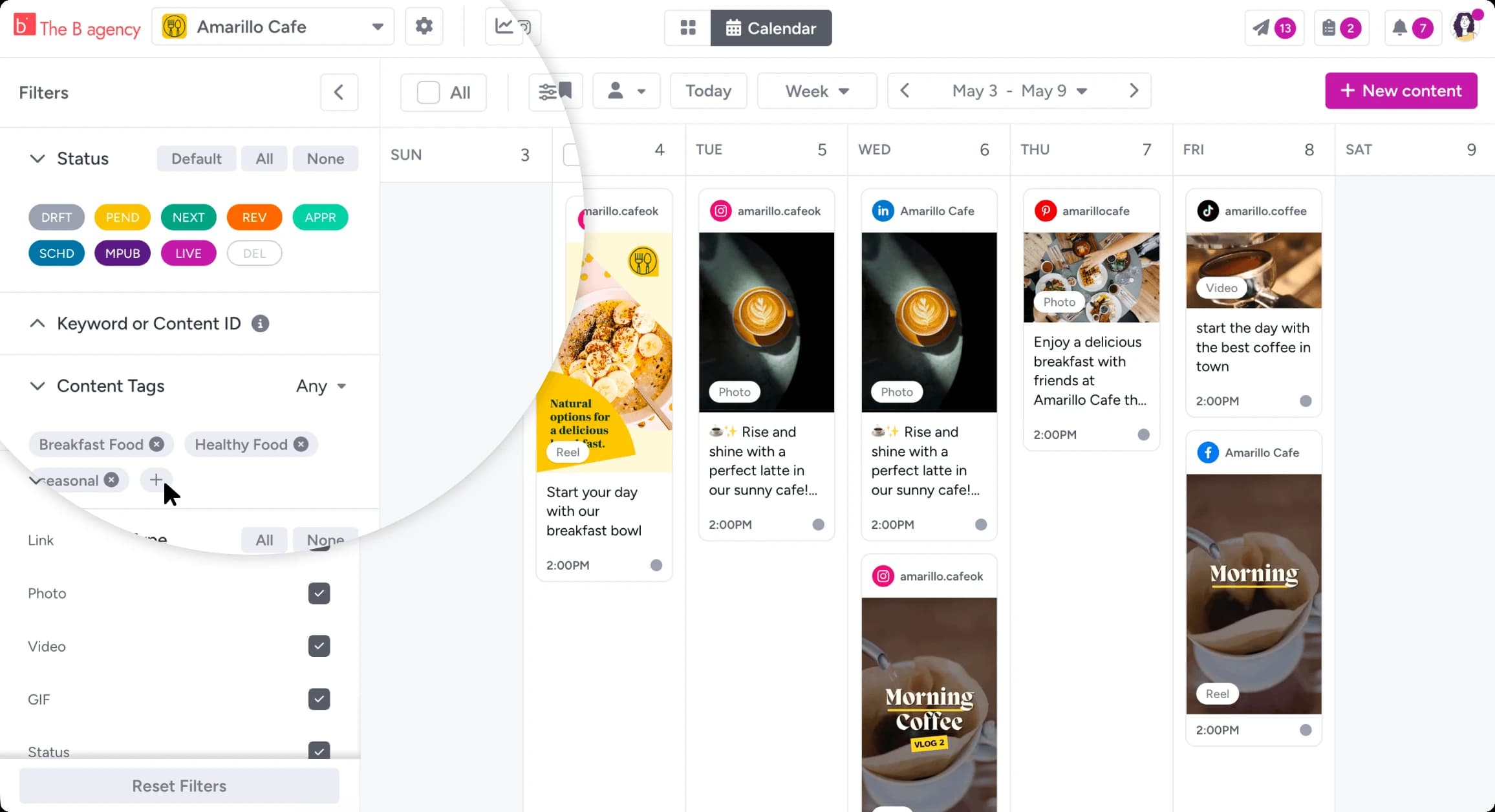
Content tags, filters & views
Group content by campaign with tags, slice it with advanced filters, and switch between gallery and list views. Folders keep assets tidy.
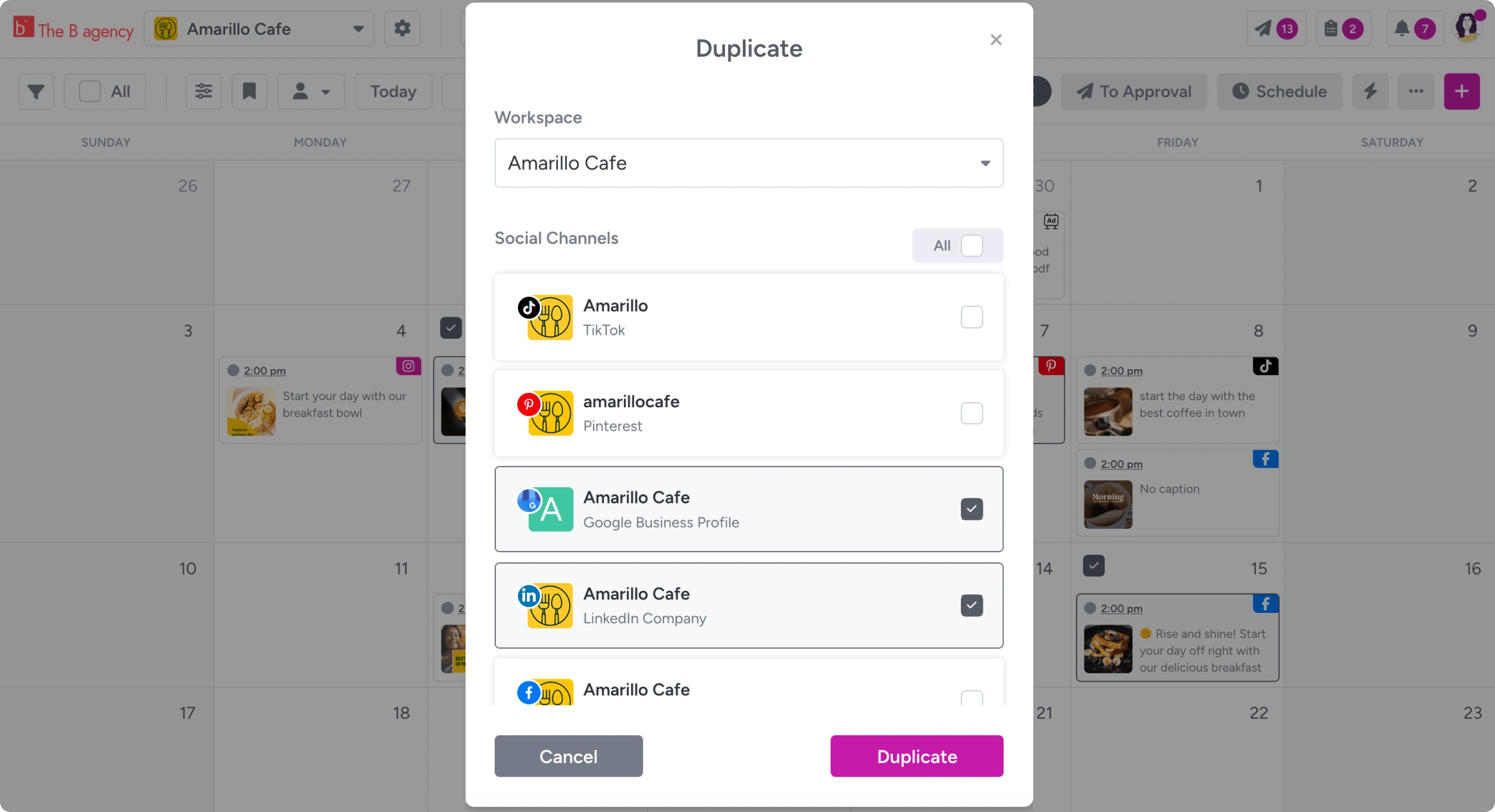
Duplicate content with one click
Duplicate content across channels and workspaces, tweak per platform, and send it all down the same approval flow.
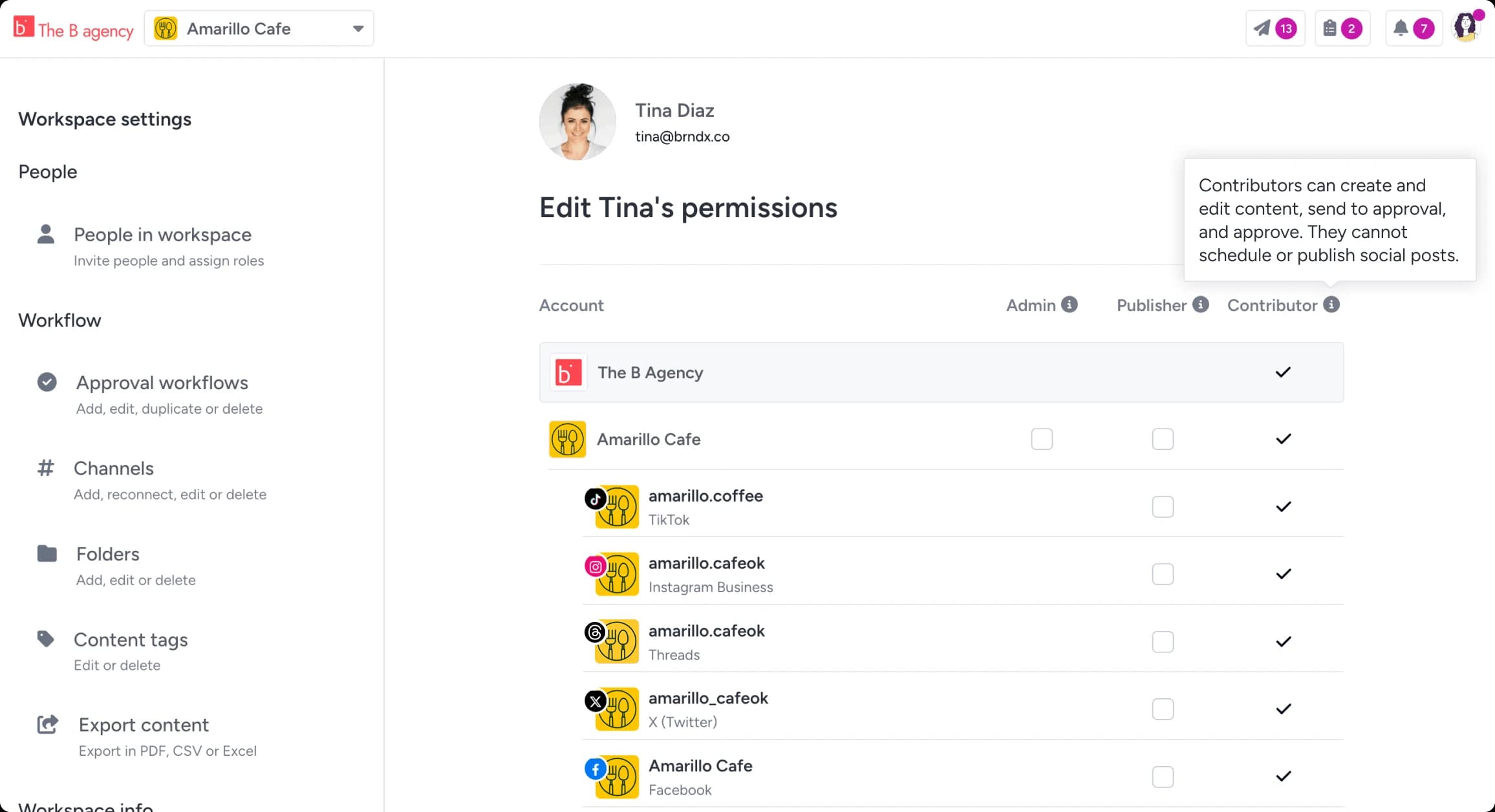
A seat for outside contributors or freelancers
A contributor role lets outside creators draft and upload into the flow, with access to only what you share.
Approve every content type
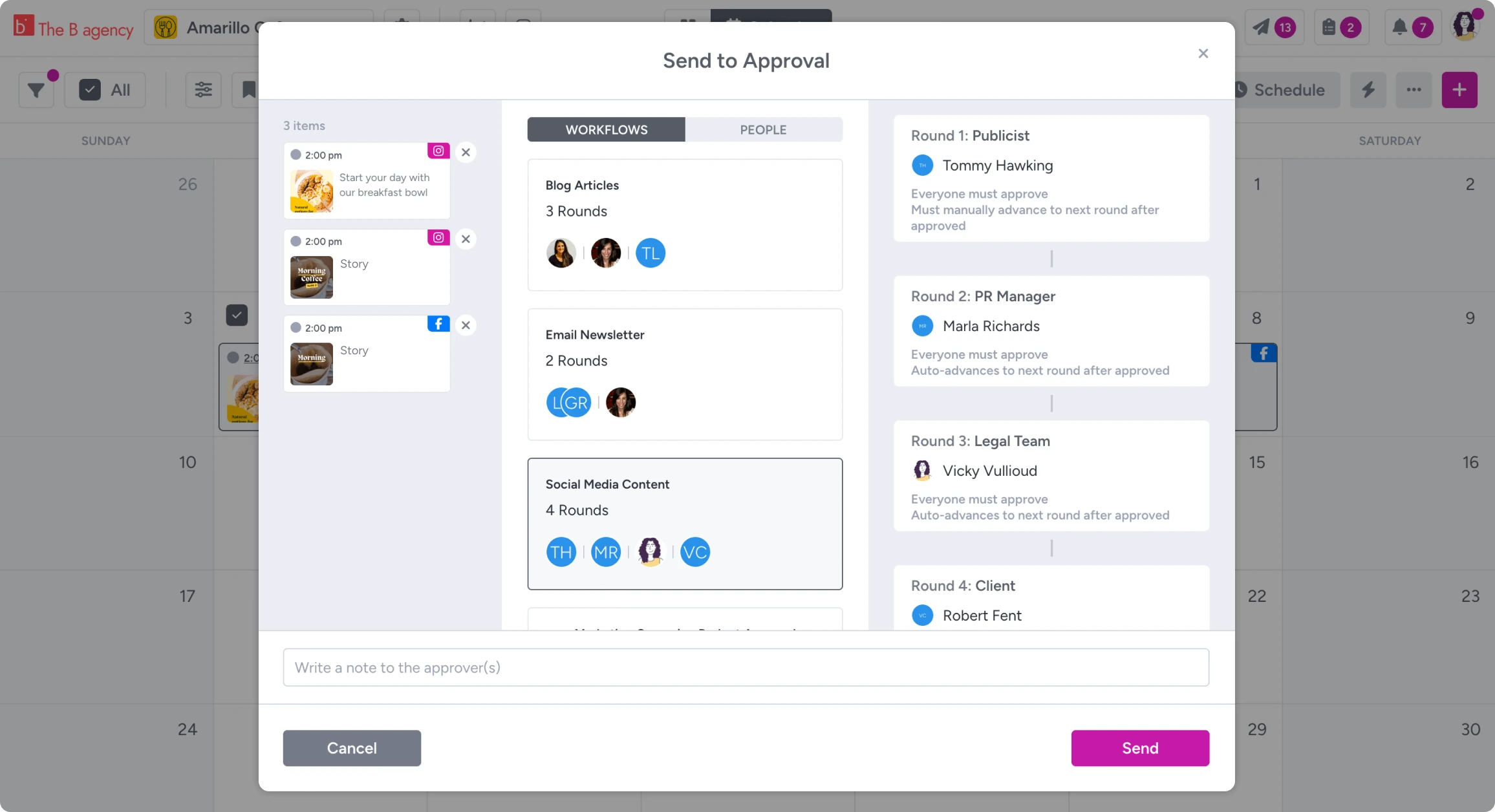
Reusable workflows route every item through the right reviewers, in the rounds and order you set. Reviewers click a magic link and decide in one click. Gain does the chasing.
Approve every content type
Reusable workflows route every item through the right reviewers, in the rounds and order you set. Reviewers click a magic link and decide in one click. Gain does the chasing.
Flexible approval workflows
As many rounds and people as you need. Designer, account manager, legal, client. Content advances automatically, or pauses for a final internal look.
Magic login
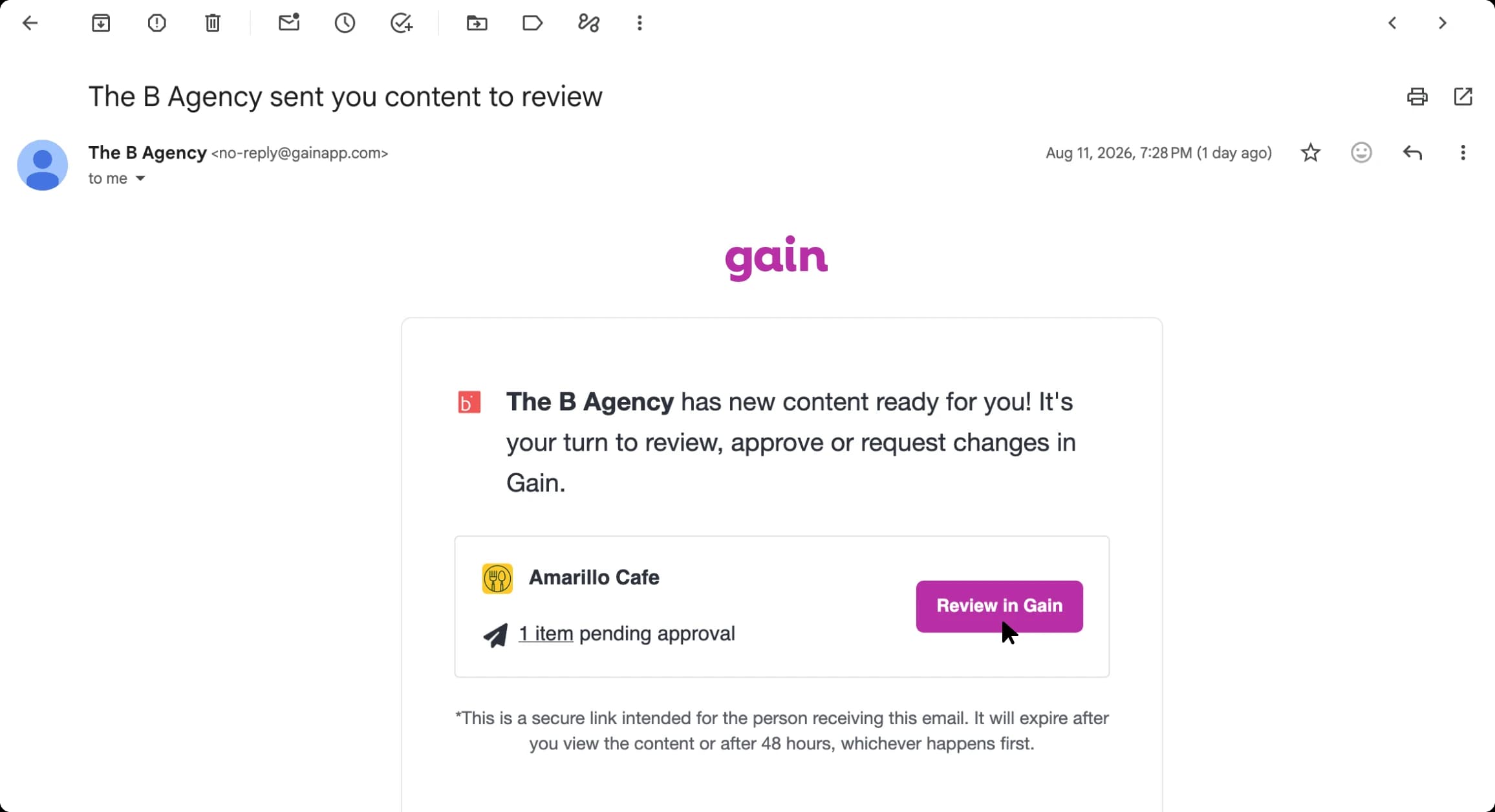
Approvers open a secure link from their email. No password, no account, any device. The learning curve is one button.
One-click decisions
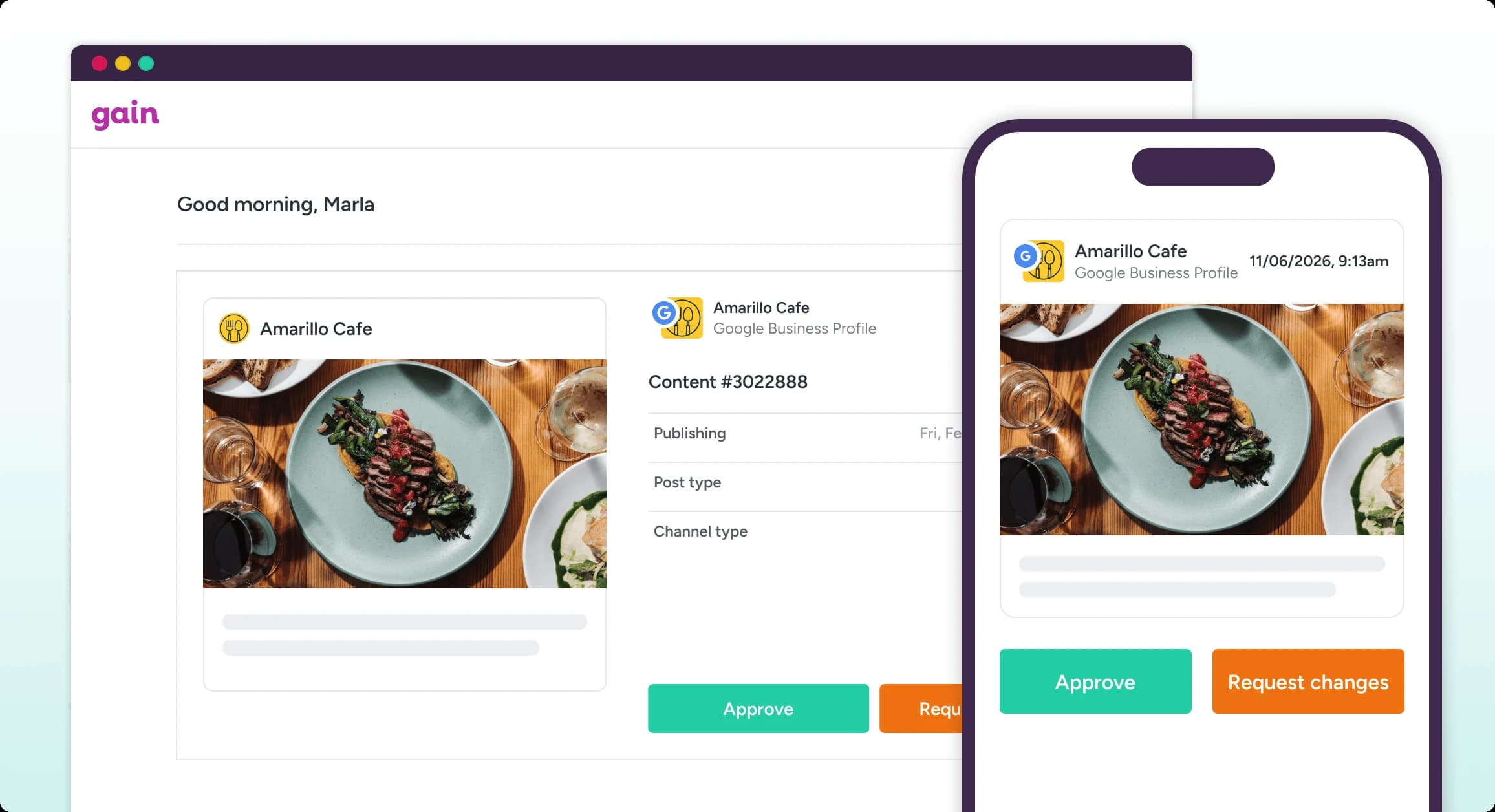
Approve or request changes, one click each. Plenty of approvals happen from a phone between meetings, and Gain is built for that.
Annotations on the content
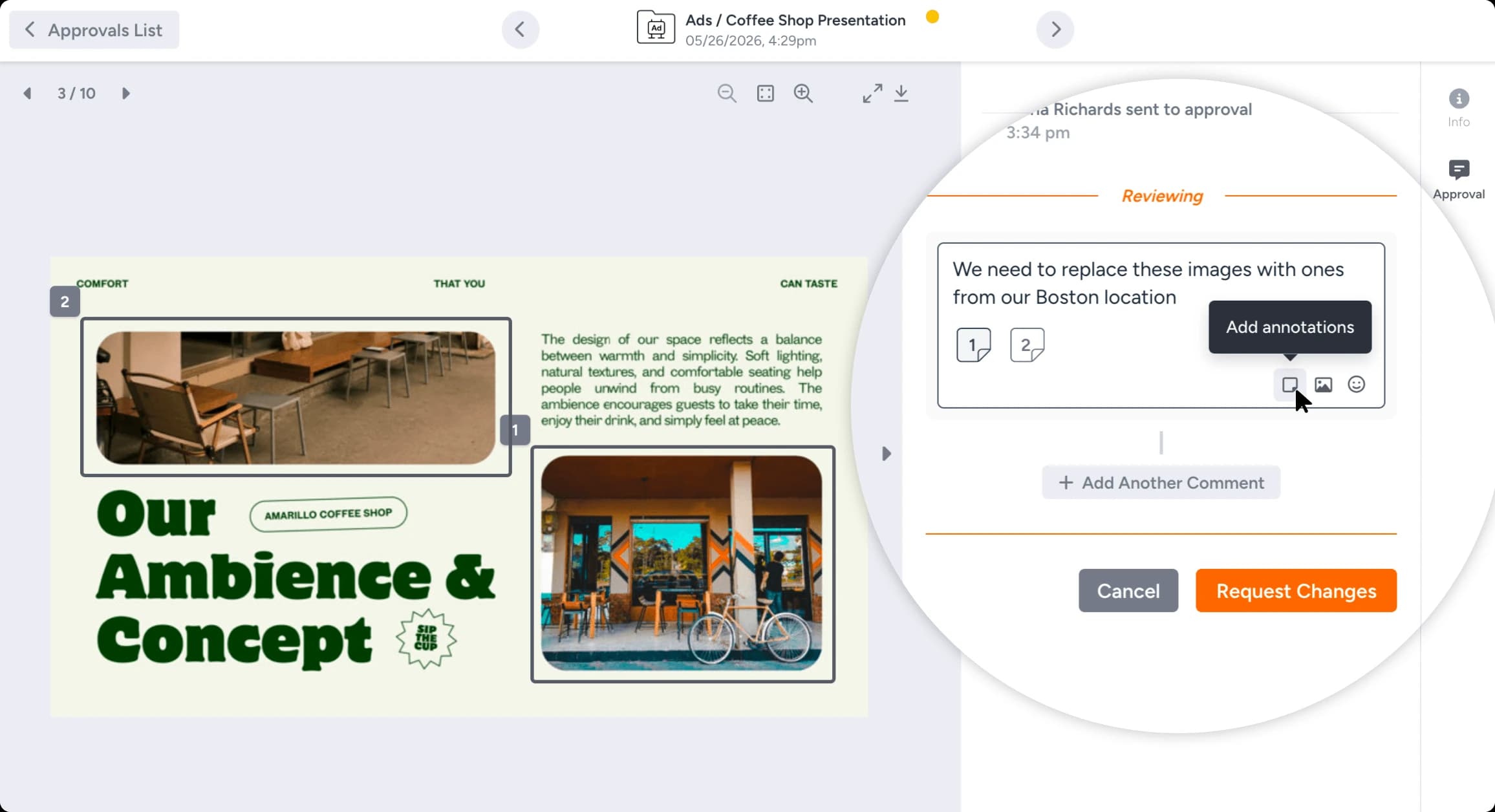
Reviewers can comment directly on images and PDFs. "Make the logo bigger" comes with coordinates.
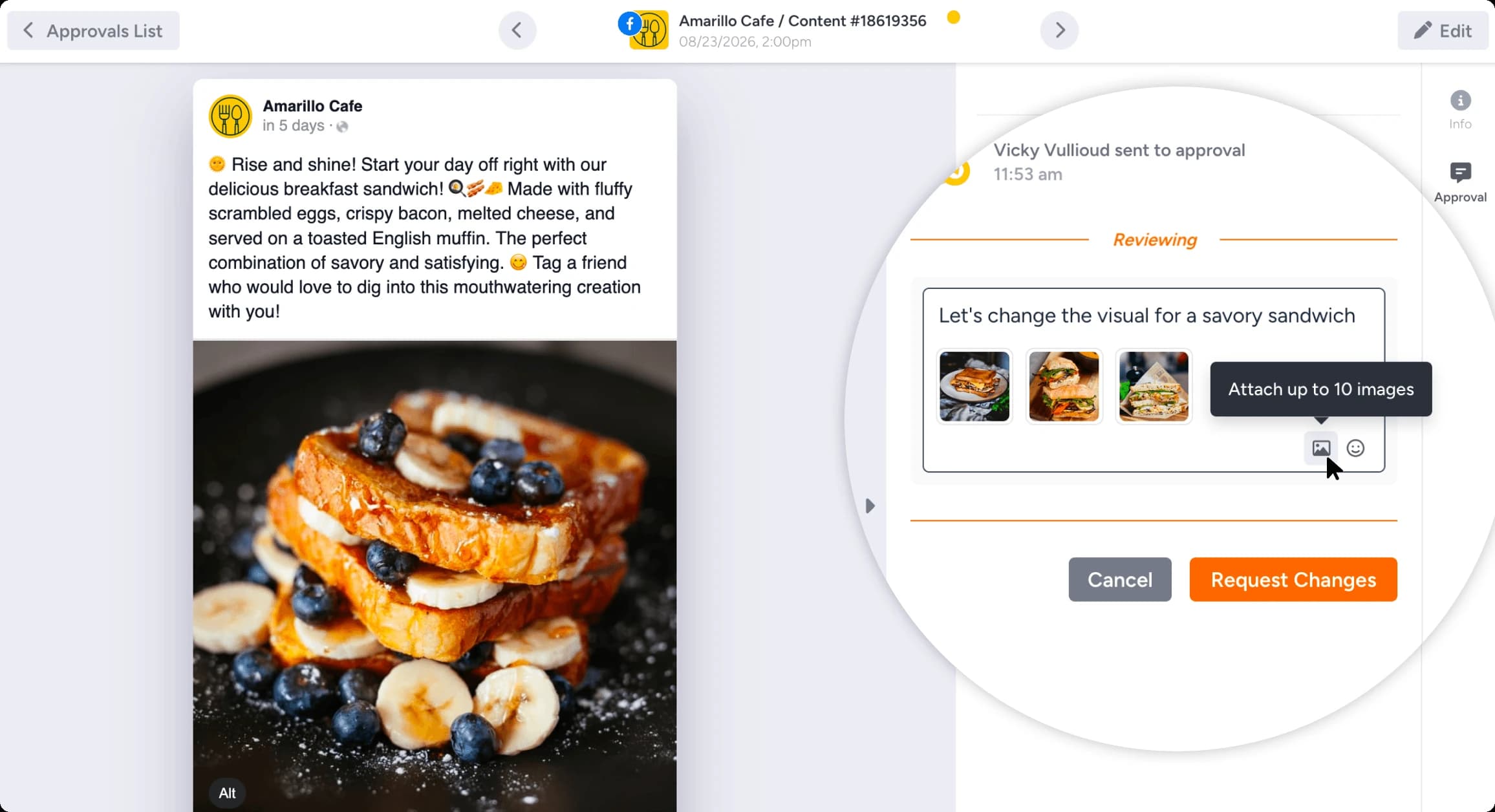
Attach images to comments
Attach images to comments to point to exactly what you mean instead of describing it.
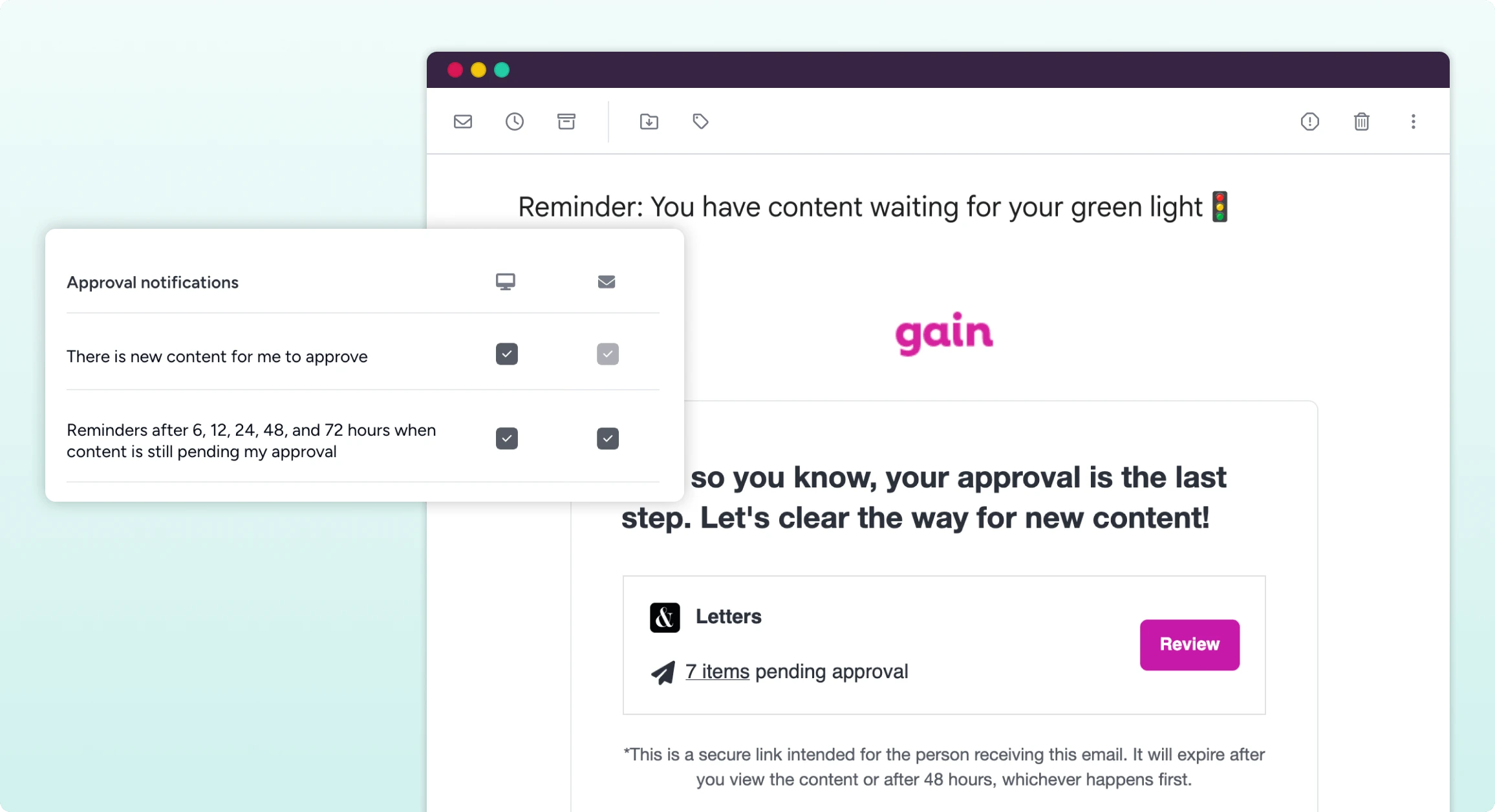
Automatic reminders
Reminders go out at set intervals until feedback lands. You’ll never write "just bumping this!" again.
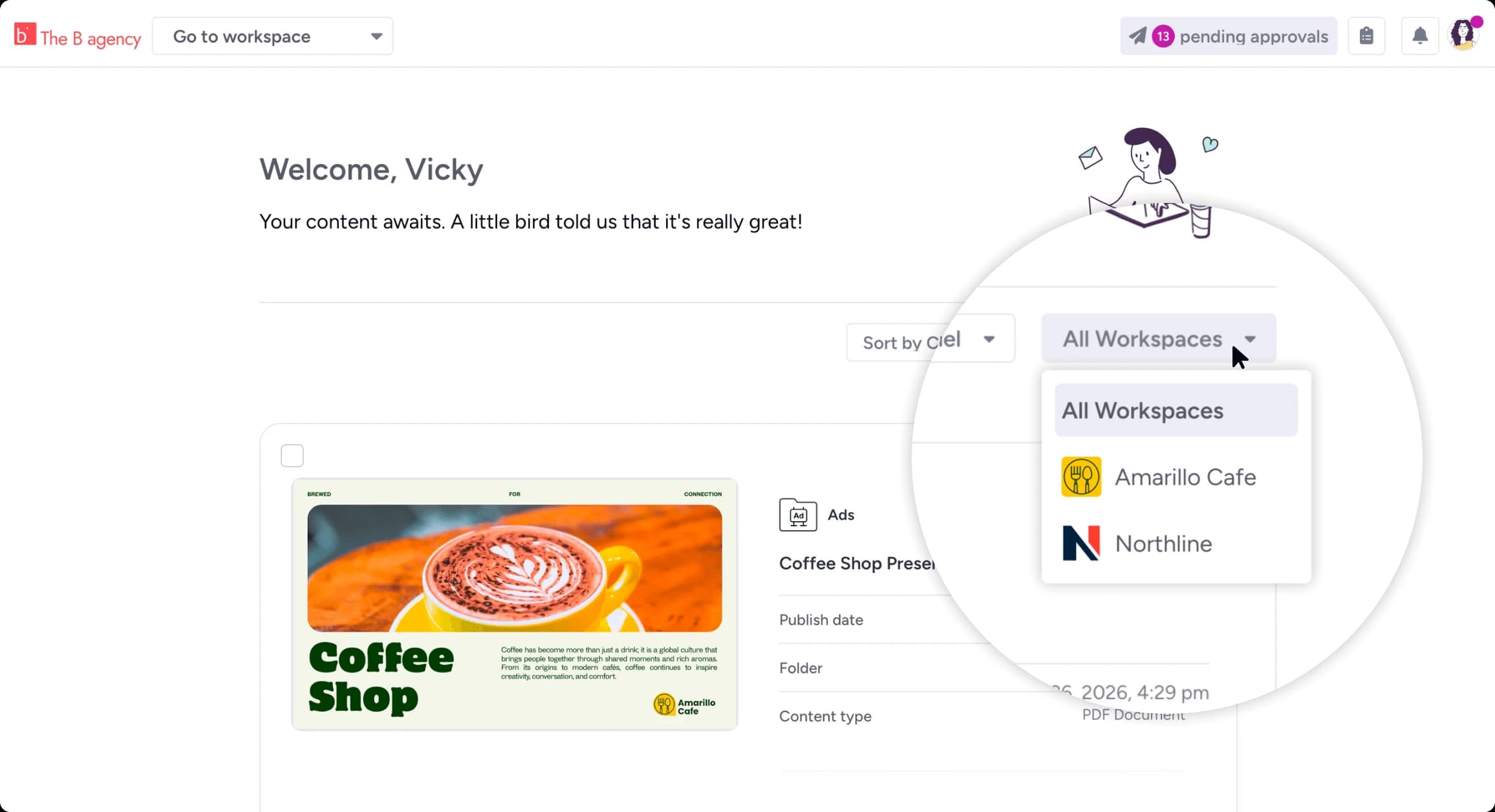
Private approval queues
Each stakeholder gets one queue of everything waiting on them, across posts, files, documents, and pages.
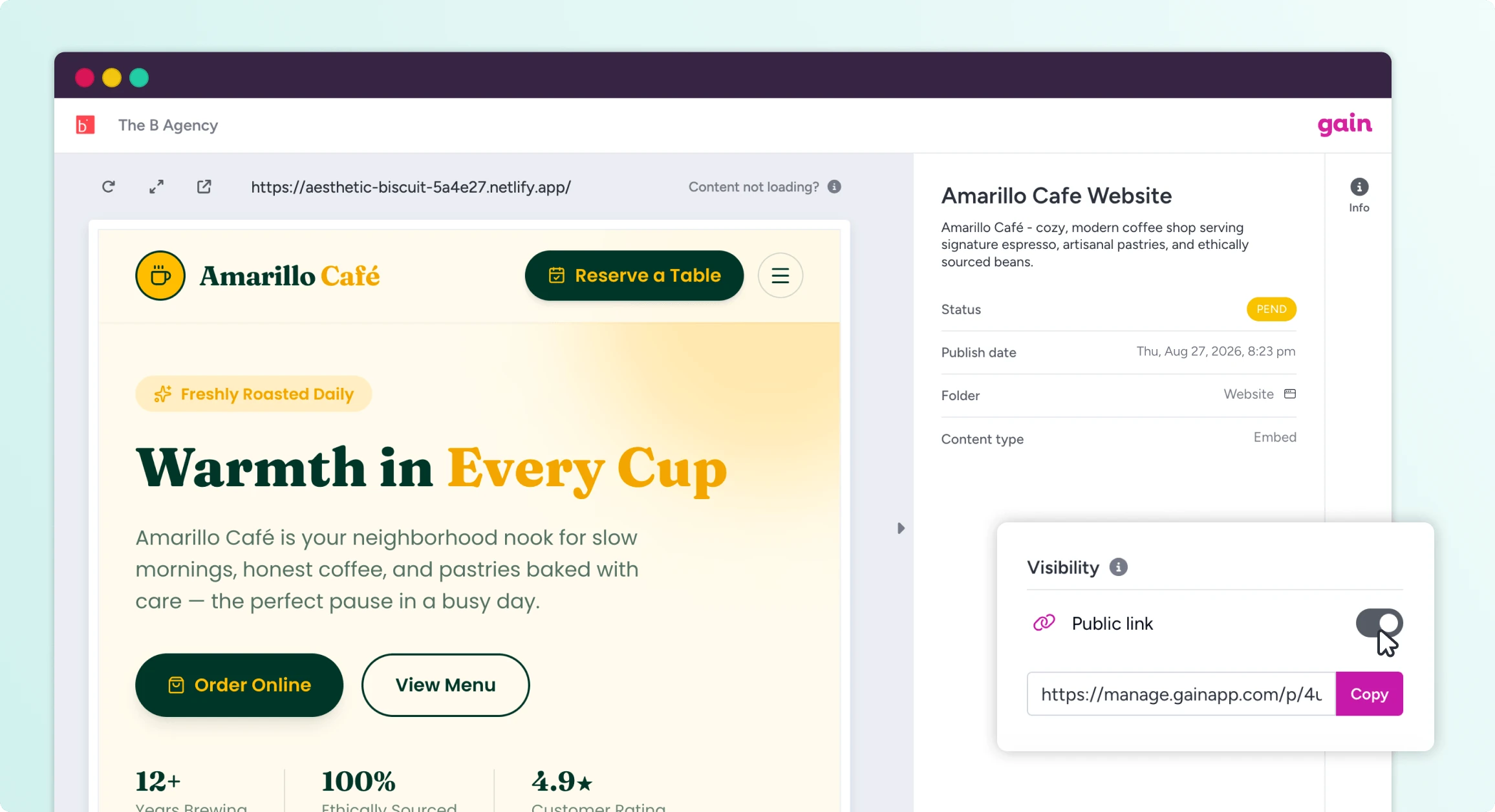
Public previews
Share a public link with anyone, including people without a Gain account, when you want eyes on something without a formal approval round.
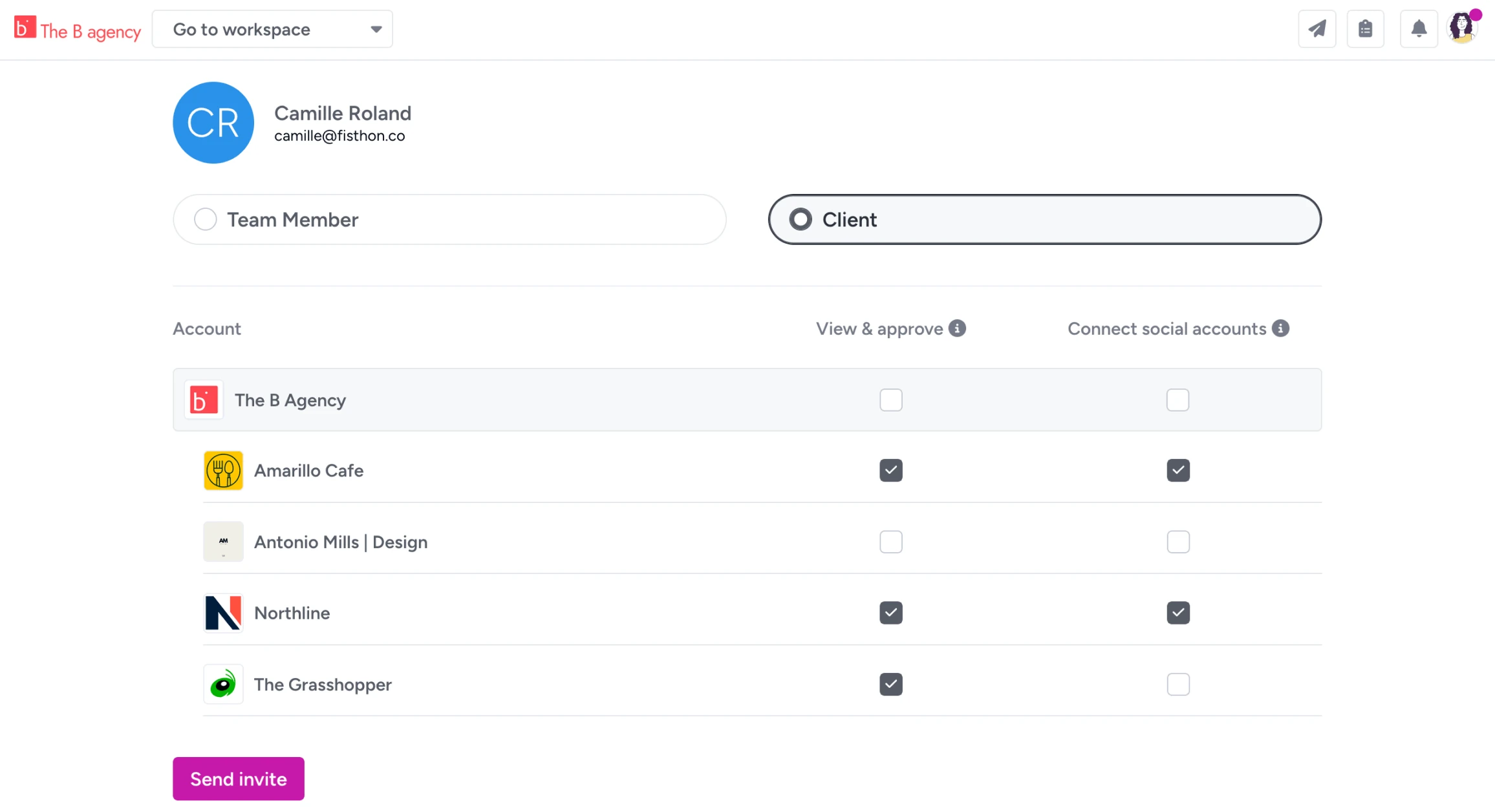
Role-specific permissions
Stakeholders see what you want them to see, with as much or as little access as each role needs.
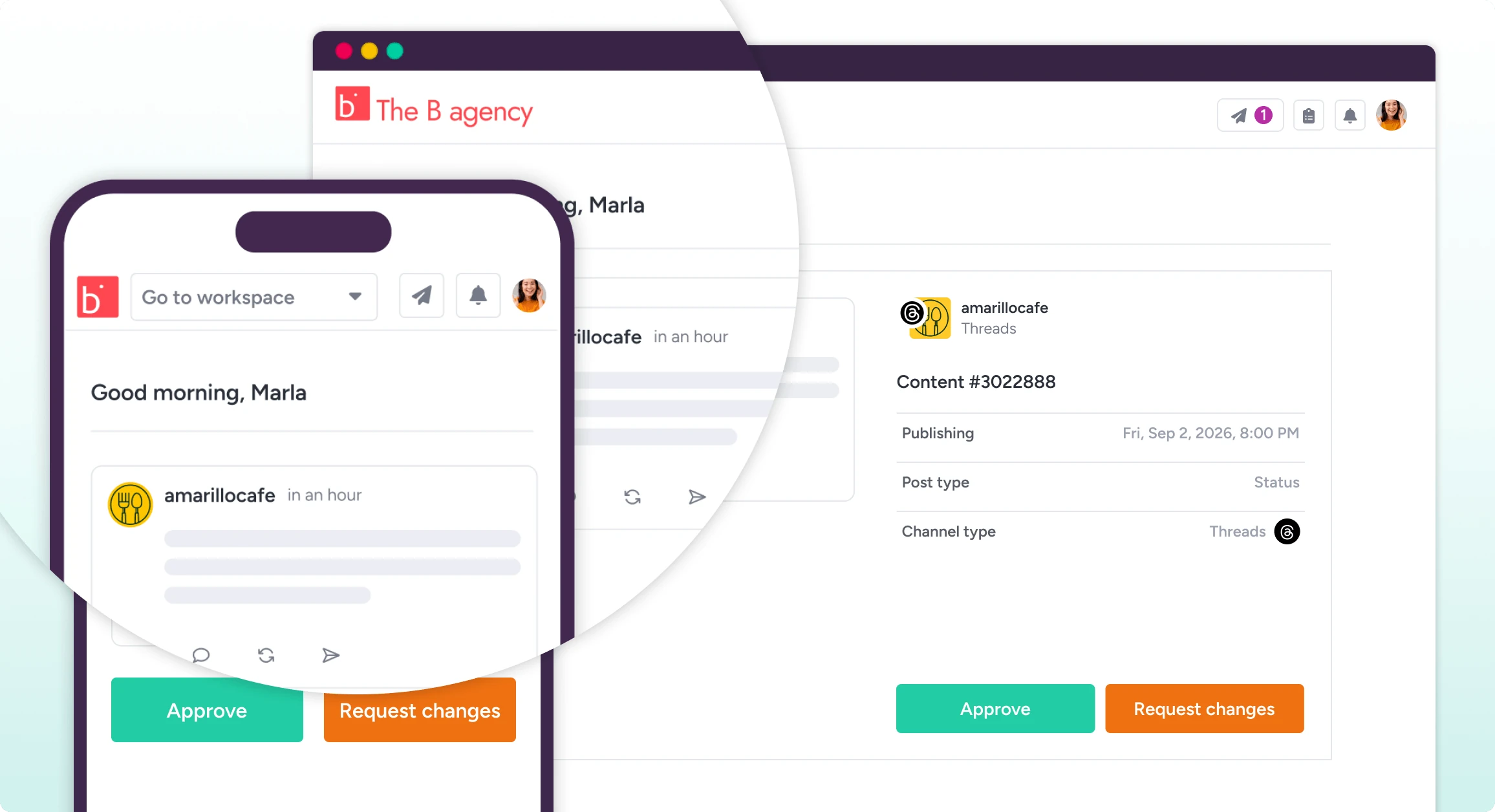
White label
On Agency plans, your clients approve under your logo, in your branded workspace.
Publish approved content
The moment the last yes lands, social posts schedule and publish themselves. Files, documents, and pages are ready to be routed with their full history attached. Publishing stays gated on the workflow, so only approved content ships.
All 9 social channels + any other marketing content on every plan. See what each channel supports →
Publish approved content
The moment the last yes lands, social posts schedule and publish themselves. Files, documents, and pages are ready to be routed with their full history attached. Publishing stays gated on the workflow, so only approved content ships.
All 9 social channels + any other marketing content on every plan. See what each channel supports →
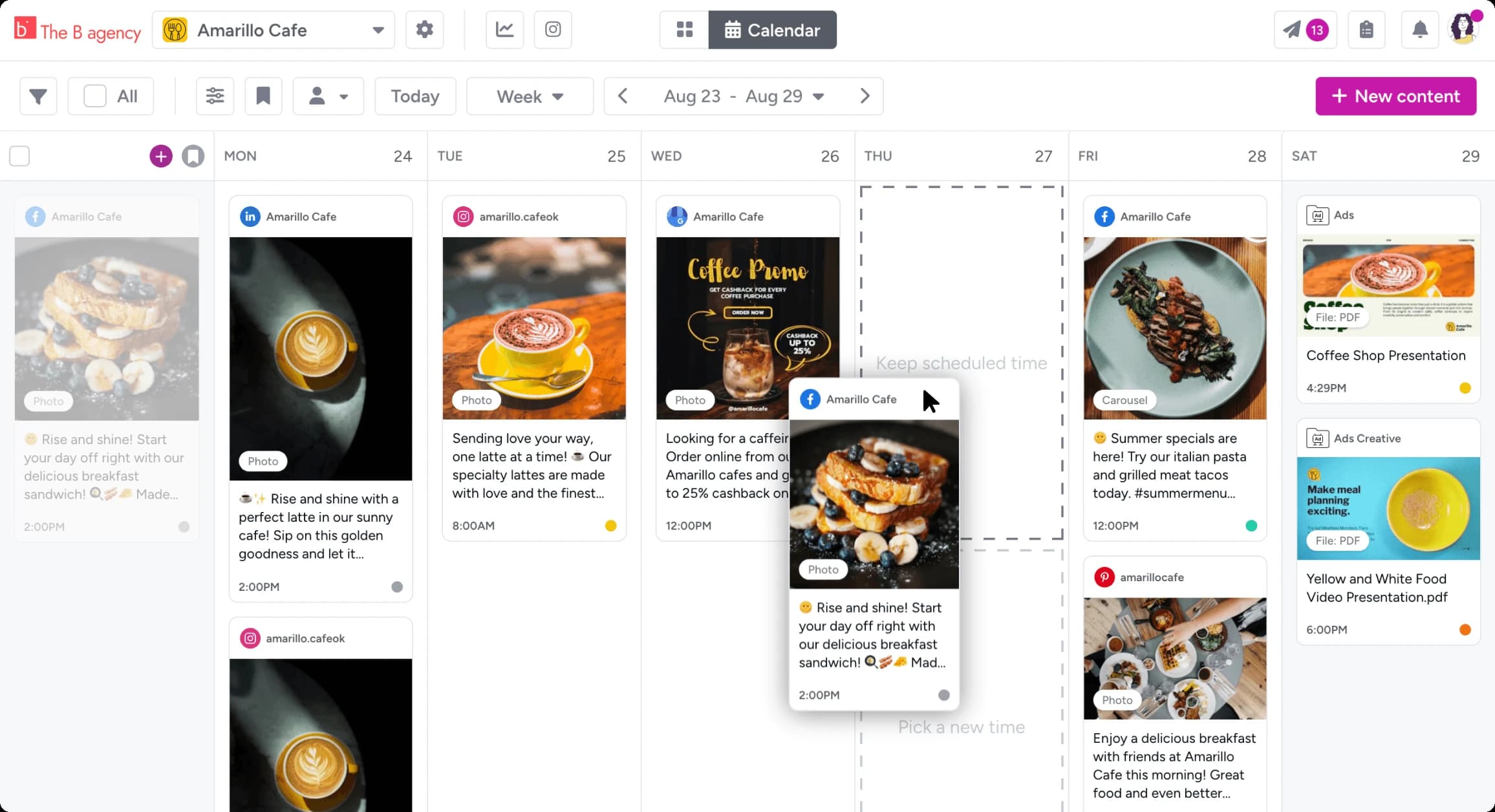
Auto-schedule & publish social posts
Approved social posts go out on schedule to all 9 networks. Reschedule by dragging on the calendar.
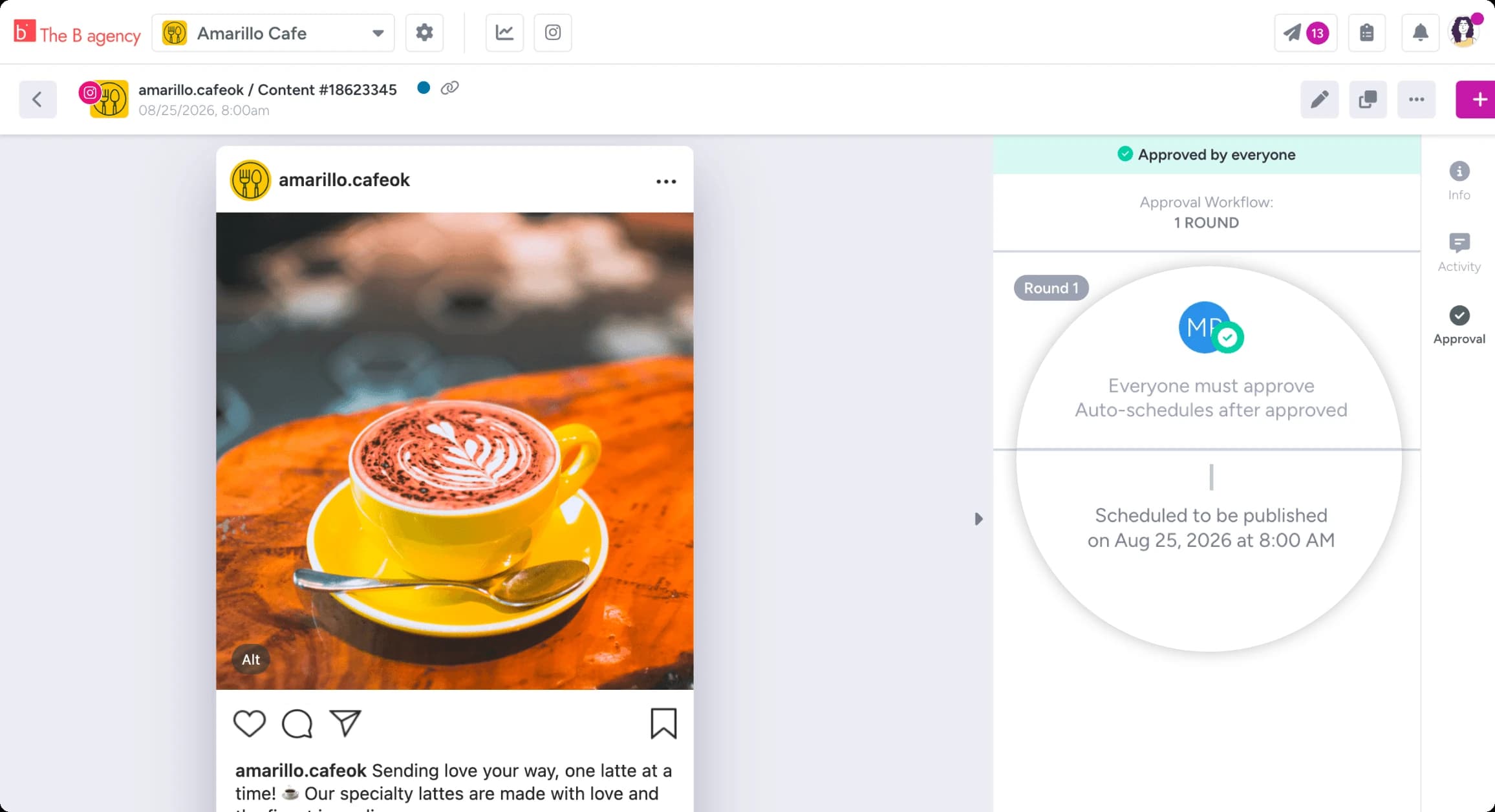
The approval lock
Publishing is gated on the workflow itself. Content edits after sign-off can be sent back for re-approval.

Gain Notify app
The mobile companion for formats that need a human touch. Publish Instagram Stories manually with everything pre-staged.
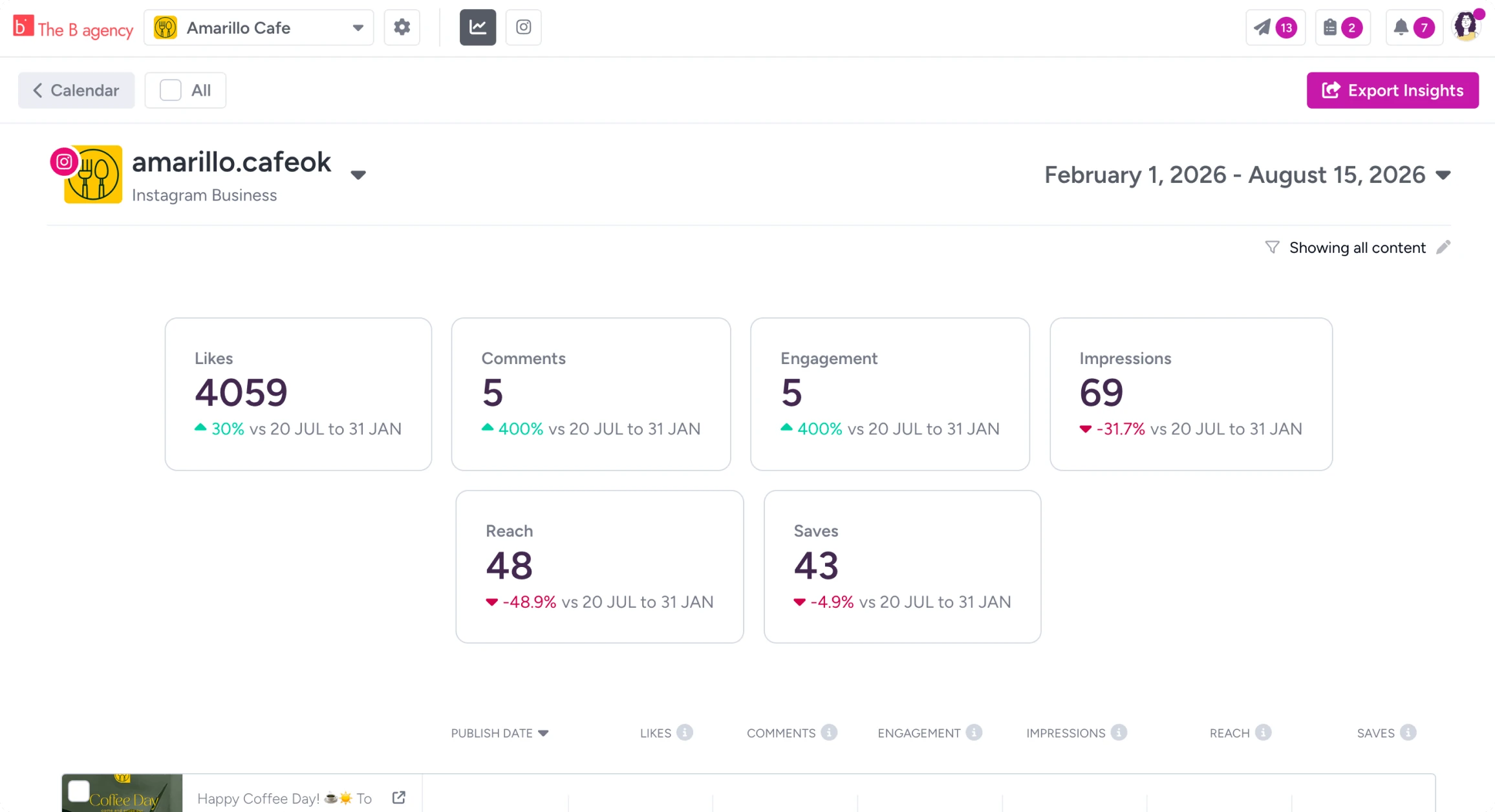
Metrics that close the loop
Standard post performance metrics for top social channels, exportable as PDF or CSV. White-labeled on Agency plans for client reporting.
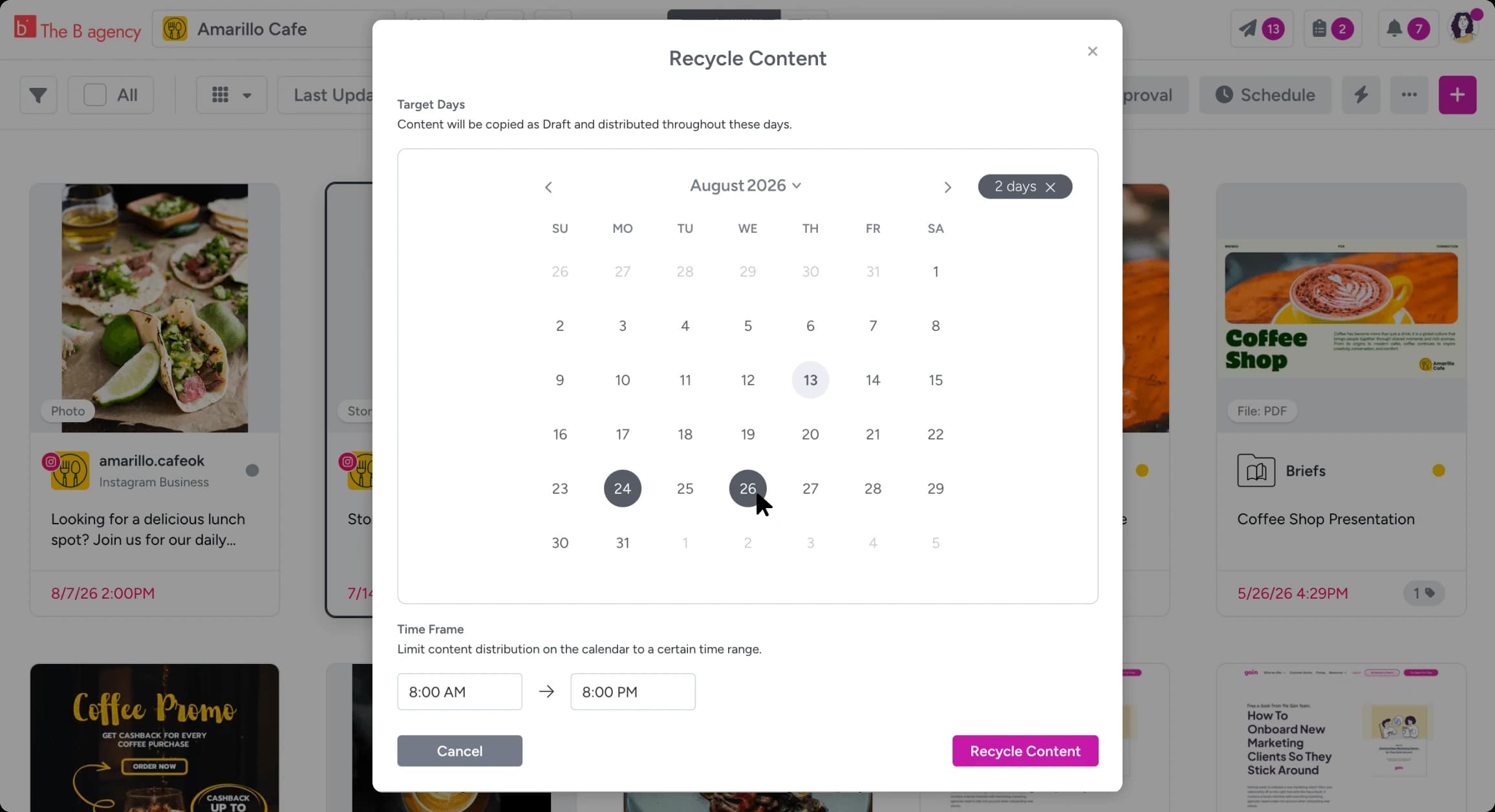
Content recycling
See what performed, then reschedule your best content in a click. Evergreen posts keep working without a second approval round.
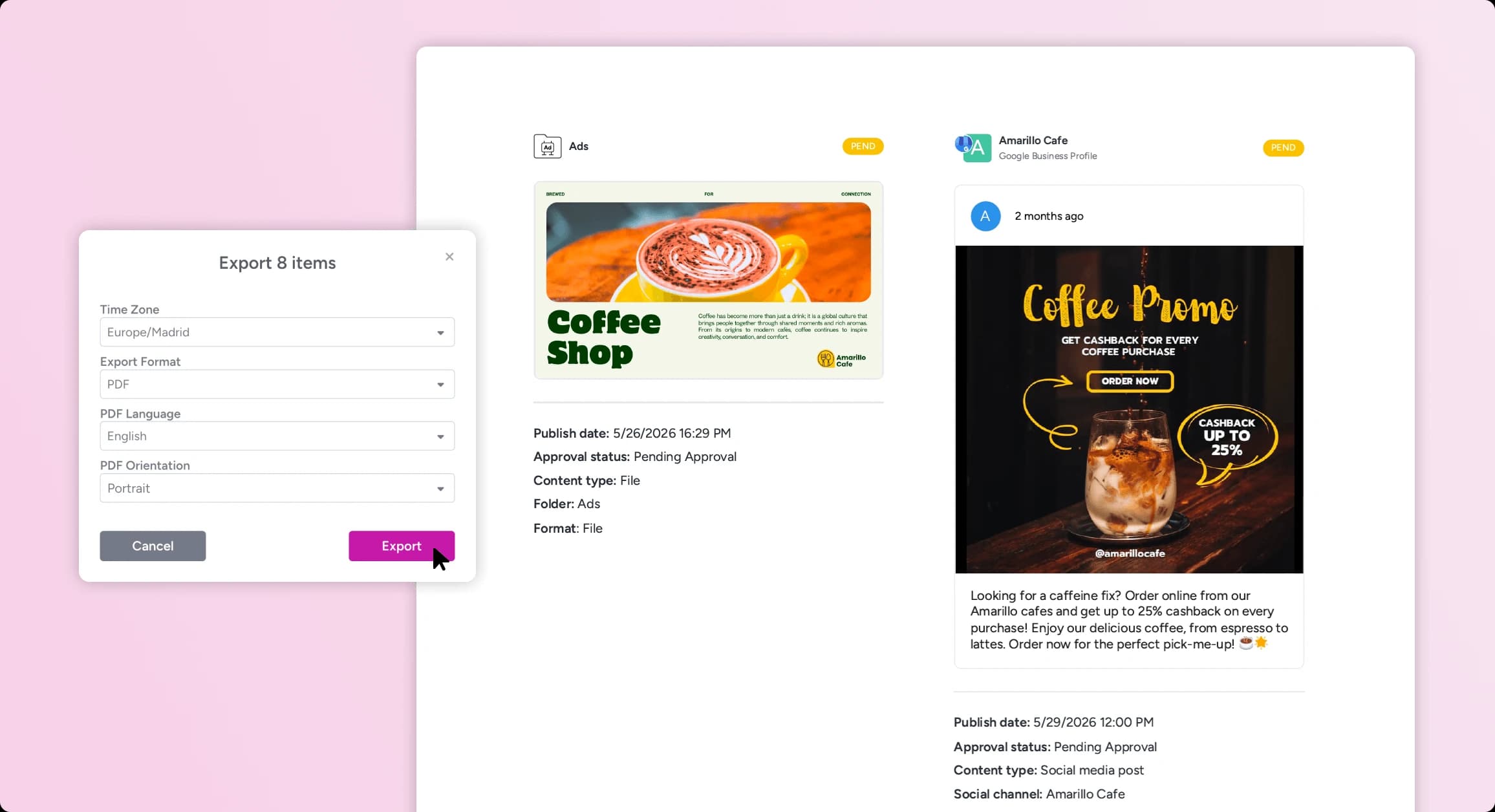
Everything exports
Content and a full history of its activity export to PDF or CSV for client reporting and compliance requests.
Complete activity history for all content
Every comment, change request, and sign-off is time-stamped on the content, retained, and downloadable for stakeholders or compliance records.
It's why top agencies and teams creating content in regulated industries handle their content approval process with Gain. More on security & compliance →
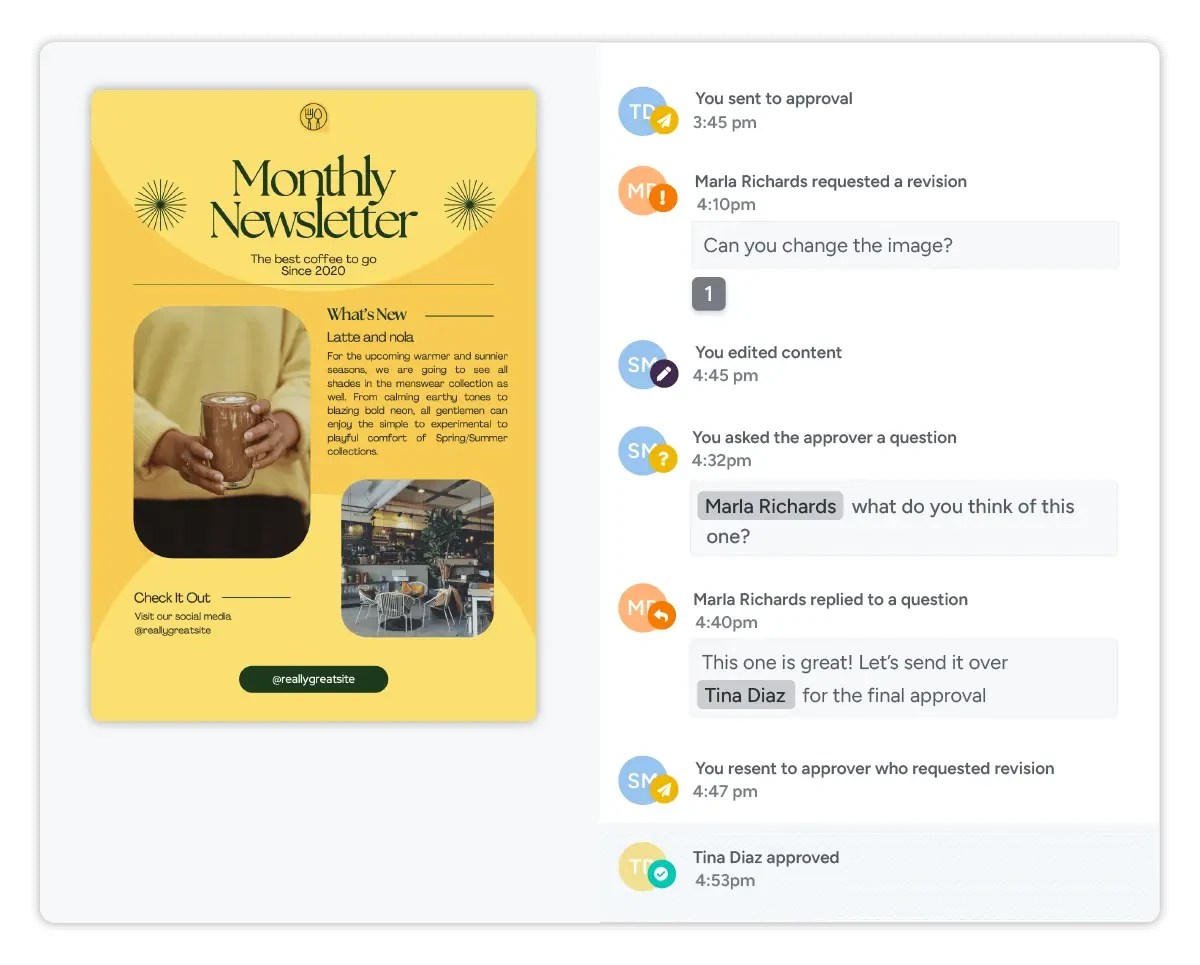
The whole history downloads as a time-stamped report — per item, or per client.
Bring the power of Gain to your desktop
Gain's desktop app is available for Mac and Windows, with drag-and-drop uploads straight from your file system. Included on every plan.
Quick answers
Content approval software is where marketing teams review and sign off on content before it goes live. Gain handles social posts, files, documents, and web content in one workspace, with a time-stamped record of who approved what.
Nearly all of them: Photoshop, Illustrator, PDF, Word, Excel, PowerPoint, Keynote, Pages, and every common image and video format (JPG, PNG, GIF, TIFF, HEIC, WEBP, SVG, MP4, MOV, AVI and more). Gain generates previews so reviewers never need the source application.
Yes. Reviewers open a secure magic link from their email and approve or request changes in one click. No password, no account, no cost per reviewer, on any device.
Social posts schedule and auto-publish to their networks. Files, documents, and web pages are marked approved with their full history attached. Publishing stays gated on the workflow, so edits after sign-off send content back for re-approval.
Yes, automatically. Every comment and decision is time-stamped, tied to what was reviewed, retained, and downloadable as a report, per item or per client.
All plans include approval workflows. Pick your plan by team size, workspaces, and storage.
See pricing →
See your own content flow through Gain.
14 days free, no credit card. Upload one real piece of content and you’ll see how it works from there.